






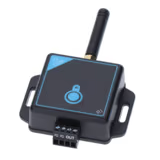

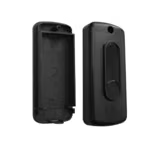










Came GSM gateway module for Came Connect, stand-alone, Quick & Easy function
- Came GSM gateway for remote control and management of the operator via the Came Connect service, 2G network
- Built-in radio for connecting up to 5 slave modules, RSE card included
- You need a data SIM card without PIN code; for control units with an RSE or Came Key connector
Call us, we will help you choose the right part or accessory.
+421 903 628 111Mon–Fri 8–16, also WhatsApp and ViberDescription
The Came GSM Gateway connects a Came operator to the Came Connect service via the mobile network. It is suitable where there is no Wi-Fi at the gate. You can then open the gate from your phone, see its status, and the installer can set up the operator remotely. The Quick & Easy function allows control even without an app on your phone.
Installation steps
- Connect the GSM antenna supplied.
- Insert a SIM card with a data plan, without PIN code and without voicemail.
- Insert the RSE card into the control unit and connect the module to terminals A, B and GND. For other devices use the potential-free outputs OUT1 and OUT2.
- Connect the 24 V power supply from terminals 10 and 2 of the control unit or from an external 24 V DC supply.
- When the green LED is on, the blue one flashes and the red one is permanently lit, the module is connected to Came Connect. Register it in the Came SetUp Pro app or at cameconnect.net.
Extension and alternatives
You can connect up to 5 Came KEY Slave modules to the gateway by radio for further operators. If there is Wi-Fi at the gate, Came Key is enough. The module is mounted on a DIN rail and is intended for the operator housing or a distribution box (IP30). We will check control unit compatibility for you at eshop@saver.sk.
Specifications
| Radio frequency | 868 MHz |
| Power supply | 12 V - 24 V DC - external power supply |
| Dimensions | 60 × 85 × 21 mm |
| Weight | 200 g |
| Protection rating | IP30 |
| Compatibility | BKV (direct), or control boards with RSE connector |
